Make a Decision
DECISION ASSISTANT
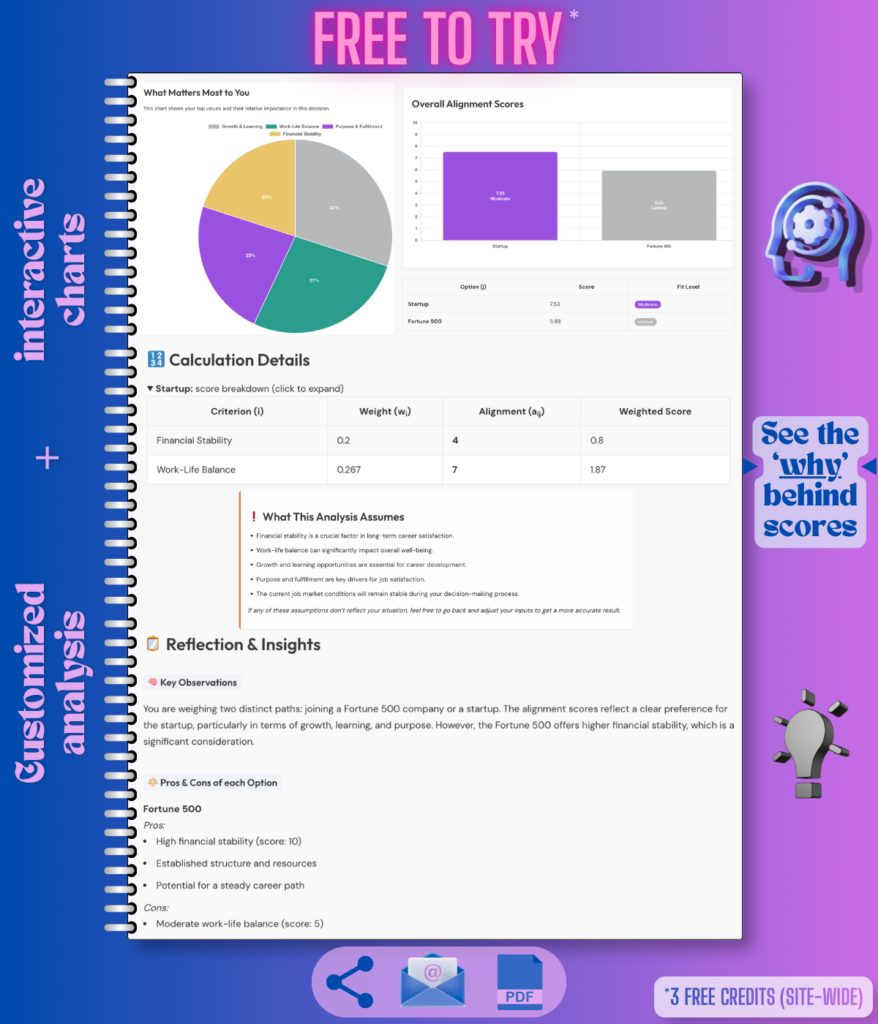
Make clearer, values/goals-based decisions with structured scoring, visual breakdowns, and practical reflections.
Compare your options against what matters most to you. Decision Assistant uses your priorities, constraints, concerns, and known facts to generate alignment scores, charts, pros and cons, assumptions, and a clear reflection you can review, save, or share.
How This Tool Improves Reliability
Example Analysis Reports (PDFs)
See what the output looks like before you generate your own.
Examples are for demonstration. Actual results vary based on your inputs.
Move Cities or Stay Put?
A classic life decision involving career, lifestyle, relationships, and personal growth.

Options (5)
Priorities (6)
Constraints
Concerns / Risks
See how the Decision Assistant analyzes your priorities, options, constraints, and risks to help you decide with clarity.
Hire vs. Outsource for Faster Delivery
A strategic business decision about growth, focus, and resource allocation.

Options (5)
Priorities (4)
Constraints
Concerns / Risks
See how the Decision Assistant analyzes your priorities, options, constraints, and risks to help you decide with clarity.
Choose Between Two Job Offers
A decision weighing financial security, work-life balance, growth, and risk of burnout.

Options (5)
Priorities (4)
Constraints
Concerns / Risks
See how the Decision Assistant analyzes your priorities, options, constraints, and risks to help you decide with clarity.
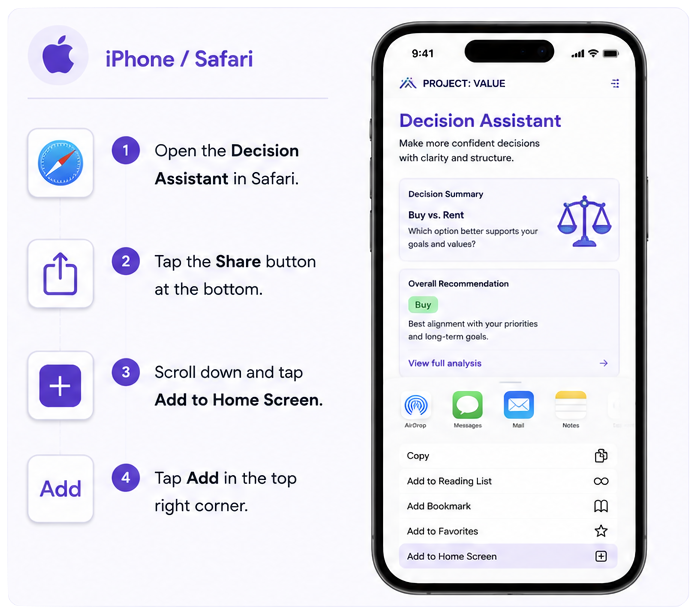
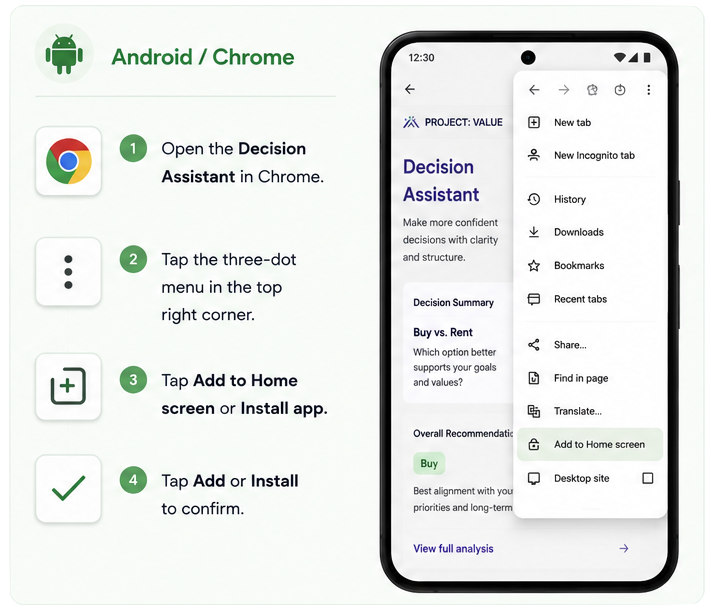
📲 Add Project: VALUE Tools to Your Phone
Use Project: VALUE tools like an app – no app store download needed. Add this page to your home screen for one-tap access whenever you’re ready to make the next decision.